ETL Process Optimization: Techniques, Tools, and Best Practices
Businesses collect large amounts of data from websites, applications, customer relationship management systems, databases, and other platforms. Collection is only the first step. Teams still have to extract that information, transform it, and load it into systems where they can analyze it and use it for decisions.
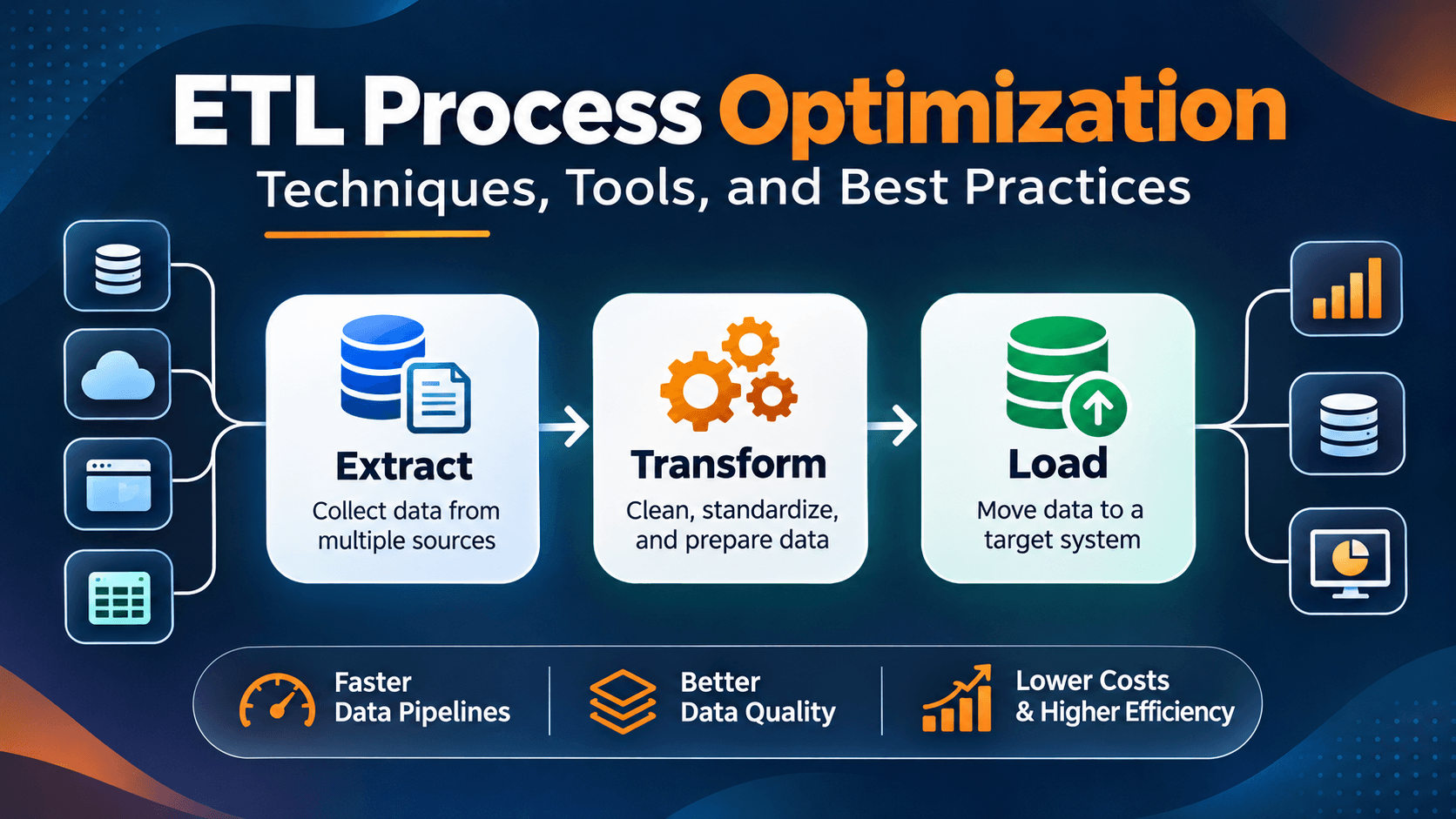
That work is the ETL process. ETL stands for Extract, Transform, and Load. It moves information from different sources, converts it into a usable format, and loads it into a destination such as a data warehouse.
As data volumes grow, a poorly designed ETL workflow can become slow, expensive, and hard to maintain. ETL process optimization improves pipeline performance, cuts unnecessary processing, protects data quality, and makes information available sooner.
This guide covers how ETL works, why optimization matters, which techniques improve pipeline performance, which tools organizations use, and which practices keep data workflows reliable.
What Is the ETL Process?
ETL is a data integration method with three stages: Extract, Transform, and Load. It collects information from different sources, prepares that information for analysis, and moves it into a target system.
Organizations use ETL to combine data from multiple platforms, support reporting, maintain data warehouses, and give business intelligence and analytics a consistent set of information.
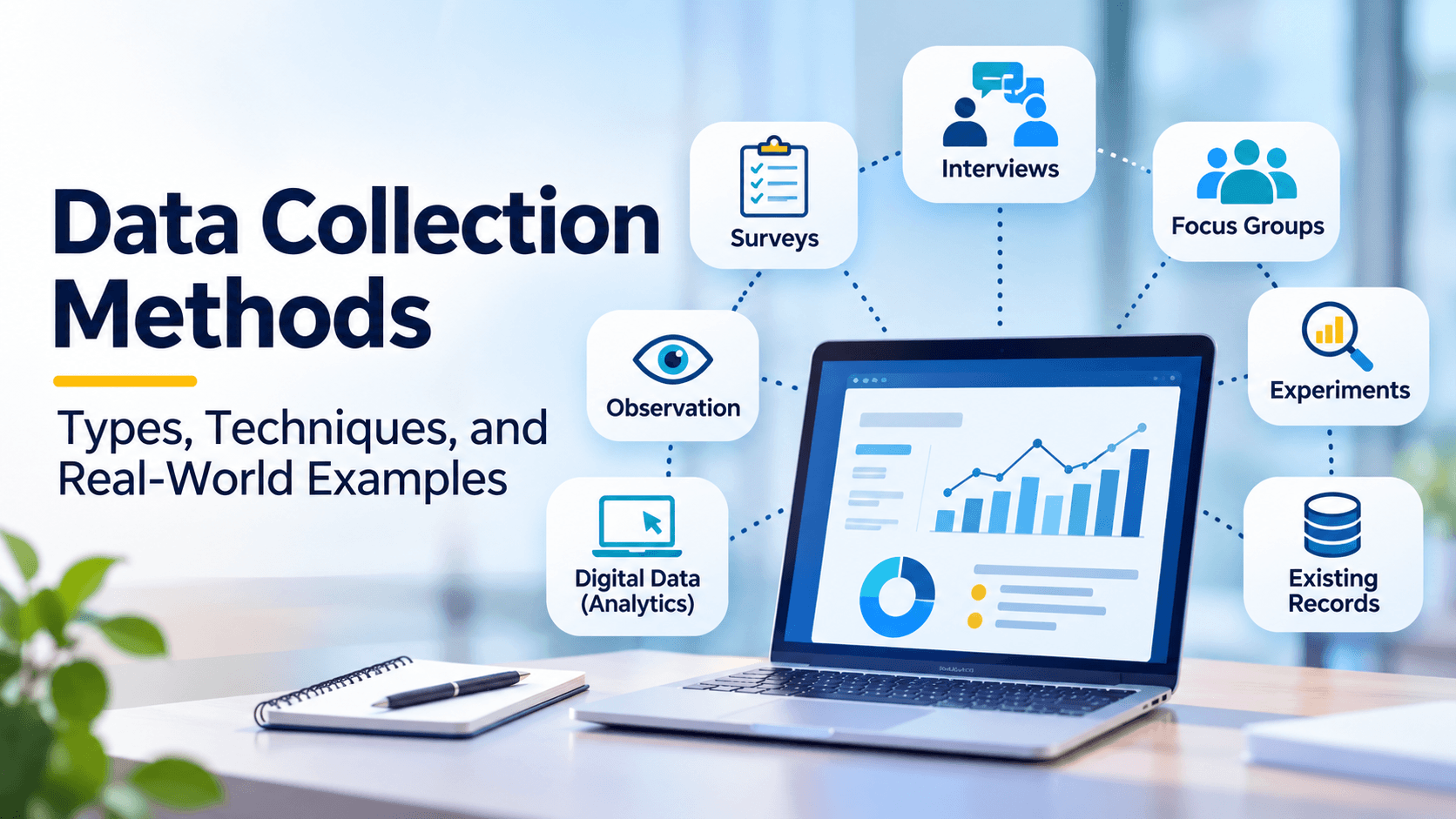
Before data enters an ETL pipeline, organizations must understand how information is collected and where it originates. Different data collection methods, including surveys, interviews, observations, and database extraction, help businesses gather information for further processing and analysis.
1. Extract: Collect Data from Different Sources
Extraction is the first stage. It retrieves data from one or more source systems, such as:
- Relational databases such as MySQL, PostgreSQL, and SQL Server.
- Customer relationship management platforms.
- Enterprise resource planning systems.
- Web applications and APIs.
- Spreadsheets and CSV files.
- Cloud storage and business applications.
The extracted information may be structured, semi-structured, or unstructured. Extraction should collect the required information without putting unnecessary pressure on the source systems.
2. Transform: Clean and Prepare the Data
During transformation, extracted data is cleaned so it is consistent, accurate, and ready for its intended use.
Common data transformation activities include:
- Removing duplicate records.
- Handling missing or invalid values.
- Standardizing dates, currencies, and text formats.
- Combining information from multiple sources.
- Filtering unnecessary records.
- Applying calculations and business rules.
- Validating data types and relationships.
For example, a company may receive customer records from several platforms. One system stores dates as MM/DD/YYYY. Another uses YYYY-MM-DD. Transformation standardizes those values so the records can be combined and analyzed together.
3. Load: Transfer Data to the Destination
The last stage moves the transformed data into a target system. That destination may be a data warehouse, a database, a data lake, or an analytics platform.
There are different loading approaches:
- Full loading: Loads the complete dataset into the destination. It is useful for initial data loads or smaller datasets.
- Incremental loading: Loads only new or changed records instead of processing the entire dataset each time.
- Batch loading: Processes and loads data in scheduled groups at specific intervals.
- Streaming ingestion: Processes data continuously or in near real time as new information becomes available.
The right approach depends on data volume, business requirements, infrastructure, and how quickly people need updated information.
Why Is ETL Process Optimization Important?
An inefficient ETL pipeline can slow reporting, raise infrastructure costs, create inconsistent data, and make it harder for teams to get reliable information.
Optimizing ETL processes helps organizations improve their data operations in several ways.
1. Faster Data Processing
Optimized workflows cut unnecessary operations and processing delays. Data moves from source systems to analytical platforms more quickly.
2. Lower Infrastructure Costs
Processing unchanged records over and over, or using resources poorly, raises computing and storage costs. Incremental processing, efficient queries, and the right resource allocation reduce that waste.
3. Better Data Quality
Optimization is not only about speed. A solid ETL workflow also validates data, standardizes values, finds duplicates, and handles errors so the data stays reliable.
4. Improved Scalability
As an organization collects more information, pipelines have to handle larger workloads. A well-designed ETL process scales more cleanly as data volumes and business needs grow.
5. More Reliable Business Reporting
When pipelines run on schedule and deliver accurate information, analysts and decision-makers can trust their reports and dashboards.
Key Techniques for ETL Process Optimization
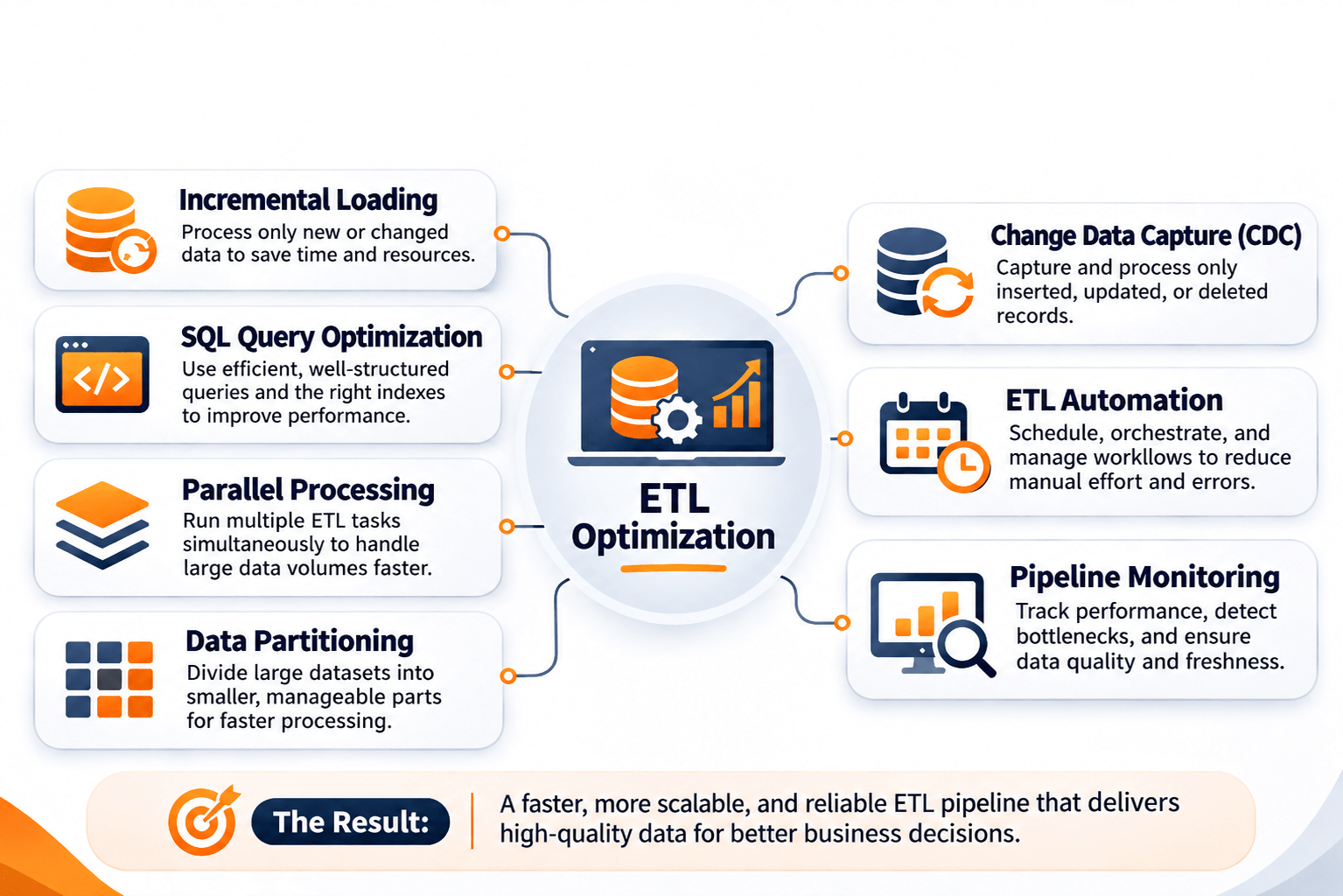
Improving ETL performance starts with finding the bottleneck, then choosing a technique that fits that pipeline. The methods below can make ETL workflows more efficient.
1. Use Incremental Data Loading
Incremental loading is one of the most effective ETL optimizations. The pipeline processes only new or modified records instead of extracting and processing the full dataset on every run.
For example, an online retailer may have one million customer orders in a database. If only 2,000 records are new or updated, processing the full dataset wastes time and computing resources.
With incremental loading, the pipeline finds those changed records using timestamps, change tracking, or change data capture (CDC).
Benefits include:
- Reduced processing time.
- Lower resource consumption.
- Less unnecessary data movement.
- More frequent data updates.
2. Optimize SQL Queries
SQL queries are often a large part of an ETL workflow. An inefficient query adds processing time, especially on large tables and complex transformations.
To improve query performance:
- Retrieve only the columns required for processing.
- Filter records as early as possible.
- Use appropriate indexes where supported and beneficial.
- Avoid unnecessary joins and repeated calculations.
- Review query execution plans to identify expensive operations.
- Use efficient joins and aggregations.
For example, if the next transformation only needs customer ID, location, and registration date, retrieve those columns instead of every column in the customer table.
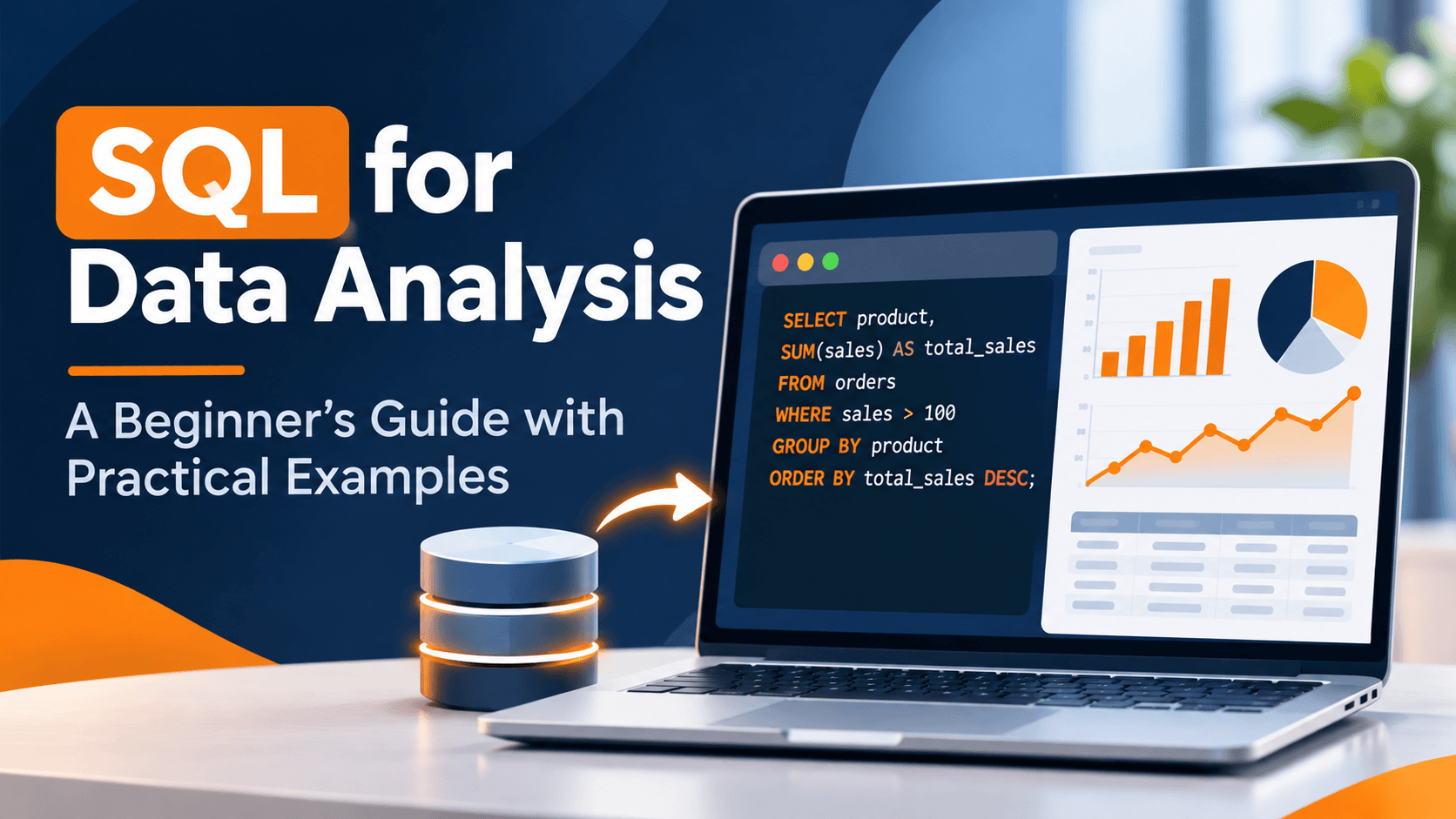
SQL is an essential skill for working with databases and optimizing data workflows. Understanding queries, joins, filtering, and aggregations can help data professionals improve how information is extracted and transformed. Explore our guide to SQL for Data Analysis to learn how SQL supports practical data analysis tasks.
3. Implement Parallel Processing
A traditional ETL workflow often runs tasks one after another. One operation has to finish before the next starts. That creates delays on large datasets.
Parallel processing runs independent tasks, or separate data partitions, at the same time across multiple computing resources.
For example, a company processing sales information from different regions can split the dataset into regional partitions and process those partitions at the same time.
Parallel processing helps when the tasks are independent and the infrastructure has enough capacity. Too much parallelism can also create resource contention, so workloads should be monitored and tuned.
4. Use Data Partitioning
Partitioning splits a large dataset into smaller sections based on an attribute such as date, region, or customer group.
For example, a business with several years of transaction records can partition the data by month or year. The pipeline can then process only the relevant sections instead of scanning the full dataset.
Common partitioning approaches include:
- Range partitioning: Divides data based on ranges, such as dates or numerical values.
- List partitioning: Groups records according to predefined values, such as regions or departments.
- Hash partitioning: Distributes records using a hash function to spread workloads across partitions.
The best strategy depends on query patterns, how the data is distributed, and what the database or processing platform supports.
5. Reduce Unnecessary Data Transformations
Every transformation uses processing resources. Repeating calculations, applying formatting you do not need, or transforming the same records more than once slows the pipeline.
Review each step and remove operations that do not affect the final output. Combine compatible transformations where that makes sense, and avoid reprocessing data that is already clean and standardized.
6. Use Change Data Capture (CDC)
Change Data Capture identifies and captures changes in source data. The pipeline processes inserted, updated, or deleted records instead of extracting entire tables on every run.
CDC is especially useful when source data changes often and those updates need to move downstream efficiently.
For example, an order management system may record new orders, update payment statuses, and change delivery information throughout the day. CDC can capture those changes for downstream analytics.
7. Automate ETL Workflows
Running ETL by hand leads to inconsistent schedules, human error, and delays. Workflow automation schedules tasks, manages dependencies, and runs pipelines on a consistent cadence.
Automation tools can also retry failed tasks, send notifications, monitor runs, and handle failures.
For example, an automated workflow can extract sales records every night, validate the information, transform the data, and load the results into a data warehouse before the next business day.
8. Monitor and Optimize Pipeline Performance
ETL optimization is ongoing. It is not a one-time fix. Monitoring shows bottlenecks and catches problems before they reach downstream systems.
Important performance indicators include:
- Pipeline execution time.
- Records processed per second.
- Data transfer volume.
- CPU and memory utilization.
- Failed tasks and retry frequency.
- Data quality error rates.
- Data freshness and processing delays.
These metrics show whether a change actually improved performance and where the next change should go.
Best ETL Tools for Data Pipeline Optimization
The right ETL tool helps a team extract, transform, load, schedule, and monitor data. The choice depends on data volume, infrastructure, technical requirements, budget, and the team's skills.
1. Apache Airflow
Apache Airflow is an open-source platform for writing, scheduling, and monitoring workflows in code. Teams commonly use it to orchestrate ETL and data pipeline tasks.
Its capabilities include:
- Defining workflows as code using Python.
- Scheduling and managing task dependencies.
- Monitoring workflow execution.
- Retrying failed tasks based on configured policies.
- Integrating with different data systems and services.
Airflow fits organizations that need flexible orchestration and close control over complex data pipelines.
2. dbt (Data Build Tool)
dbt helps data teams transform data inside a data warehouse using SQL. It supports modular data models, testing, documentation, and dependency management.
Incremental models can process only new or changed data instead of rebuilding an entire model on every run.
dbt is a strong fit for analytics engineering teams that manage SQL-based transformations.
3. Apache Spark
Apache Spark is a distributed processing engine built to handle large datasets across multiple machines.
It supports batch processing, streaming workloads, SQL operations, and large-scale data transformations. That distributed design suits organizations with heavy processing requirements.
4. Fivetran
Fivetran is a managed data movement platform. It replicates data from different sources into supported destinations.
It can cut the custom connector work and manual maintenance required for common data integration workflows.
5. Informatica
Informatica provides enterprise data integration and management. Organizations use it to connect sources, transform information, manage data quality, and handle complex integration requirements.
6. AWS Glue
AWS Glue is a managed data integration service in Amazon Web Services. It supports data discovery, preparation, transformation, and integration across supported sources and destinations.
It fits organizations building data integration workflows inside AWS.
7. Azure Data Factory
Azure Data Factory is a cloud data integration service from Microsoft Azure. It helps teams create and manage pipelines that move and transform information across supported systems.
It is commonly used for data integration inside Microsoft Azure.
ETL Tools Comparison
| Tool | Main Purpose | Best Suited For |
|---|---|---|
| Apache Airflow | Workflow orchestration | Complex scheduled pipelines |
| dbt | SQL-based data transformation | Analytics engineering teams |
| Apache Spark | Distributed data processing | Large-scale data workloads |
| Fivetran | Managed data integration | Automated data replication |
| Informatica | Enterprise data integration | Complex enterprise environments |
| AWS Glue | Managed data integration | AWS-based data workflows |
| Azure Data Factory | Cloud data integration | Azure-based data workflows |
No single ETL tool fits every organization. Evaluate integration requirements, scalability, infrastructure compatibility, maintenance needs, and total cost before you choose a platform.
ETL vs. ELT: Understanding the Difference
ETL and ELT are two ways to integrate data. Both extract information from source systems and load it into a destination. They differ in when the transformation happens.
In ETL, data is transformed before it is loaded. In ELT, raw data is loaded first and transformed later inside the destination platform.
| Comparison | ETL | ELT |
|---|---|---|
| Full form | Extract, Transform, Load | Extract, Load, Transform |
| Transformation stage | Before loading | After loading |
| Processing location | ETL processing environment | Target data platform |
| Common use | Preprocessing data before storage | Transforming data within modern data platforms |
| Typical consideration | Transformation infrastructure and loading requirements | Storage, compute resources, and transformation costs |
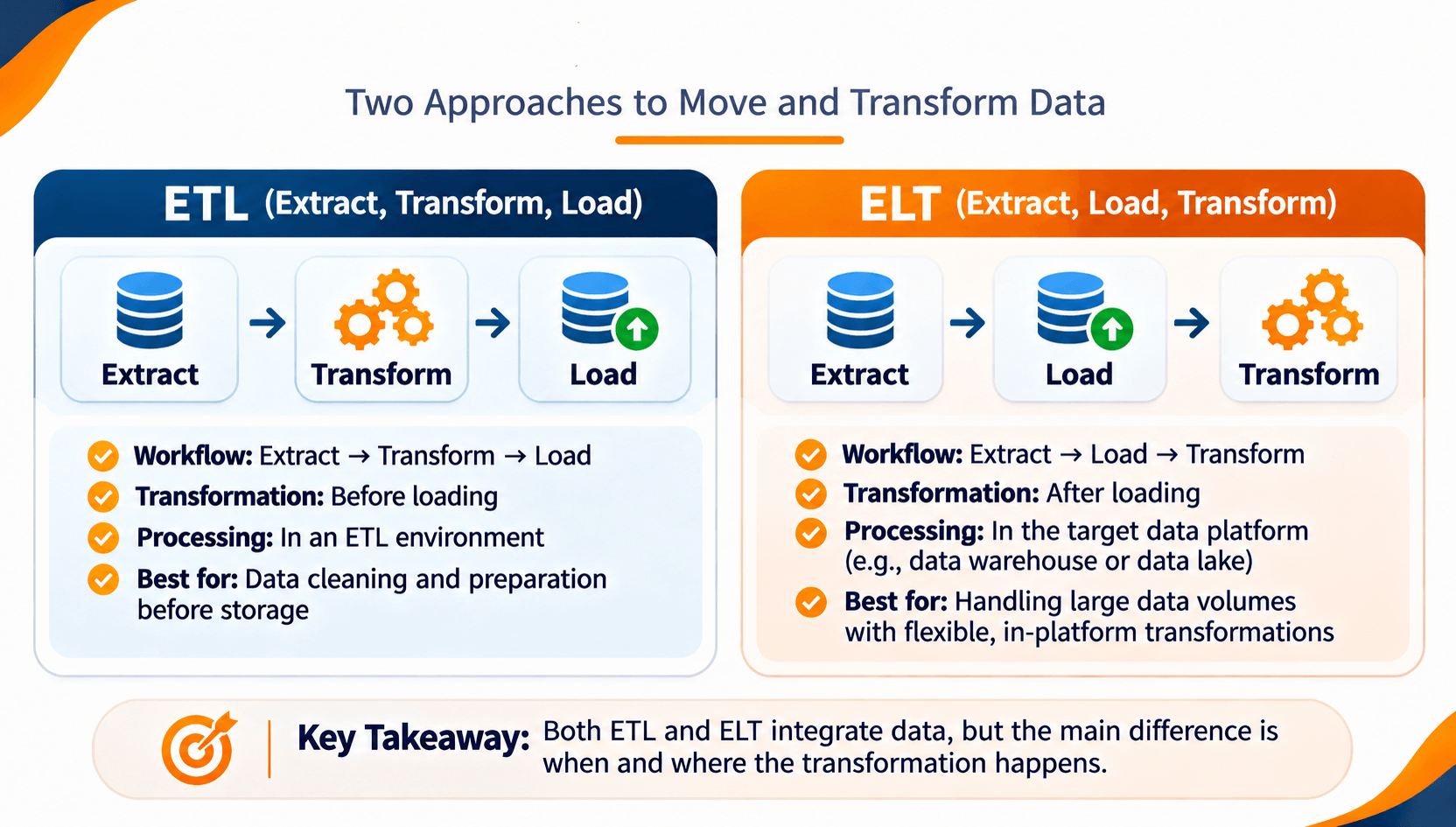
ETL fits when information must be transformed before it enters the target system. ELT fits when you want to keep the raw data and use the processing power of a modern data warehouse or cloud platform.
The choice depends on data architecture, governance requirements, processing needs, and what the destination platform can do.
Common ETL Performance Problems and How to Fix Them
Even a well-designed pipeline can slow down as data volumes, workloads, and business requirements change. Find the cause before you apply an optimization.
| Common Problem | Possible Cause | Recommended Improvement |
|---|---|---|
| Slow extraction | Large queries or inefficient source access | Use incremental extraction and optimize source queries. |
| Slow transformations | Complex or repeated operations | Review transformation logic and remove unnecessary steps. |
| High resource consumption | Inefficient processing or excessive parallel tasks | Optimize resource allocation and processing concurrency. |
| Duplicate records | Missing deduplication or retry handling | Apply validation, unique keys, and idempotent processing. |
| Pipeline failures | Network issues, invalid data, or unavailable systems | Implement logging, error handling, and controlled retries. |
| Outdated reports | Delayed or failed pipeline schedules | Monitor data freshness and pipeline execution. |
| Increasing storage costs | Repeated or unnecessary data storage | Review retention policies and remove redundant data. |
ETL Process Optimization Best Practices
A consistent set of practices improves pipeline performance, reliability, and how easy the pipeline is to maintain.
1. Understand Your Data Sources
Before you design an ETL workflow, identify where the data comes from, how often it changes, which formats it uses, and how much information needs to be processed.
2. Prioritize Data Quality
Build validation into the pipeline so it catches missing values, duplicates, invalid formats, and unexpected records. Reliable data is required for accurate reporting and analysis.
3. Avoid Processing Unchanged Data
Use incremental loading or change data capture where it fits, so the pipeline does not keep processing records that have not changed.
4. Design for Failure Recovery
Use logging, error handling, controlled retries, and a recovery procedure. Make loading operations idempotent where you can, so rerunning a task does not create duplicate or inconsistent results.
5. Monitor Data Freshness
Measure how recently the data was updated and whether pipelines meet their expected delivery schedule. This matters most when reports depend on timely information.
6. Document Pipeline Logic
Document data sources, transformation rules, dependencies, ownership, and failure procedures. Clear documentation makes a pipeline easier to maintain and troubleshoot.
7. Review Performance Regularly
Watch execution time, resource usage, data volume, and failure rate. Revisit the pipeline design as workloads grow or business requirements change.
How AI Can Improve ETL and Data Workflows
AI can support several stages of data preparation and analysis. Depending on the tools and how they are set up, AI-assisted features can help teams find anomalies, suggest transformations, generate SQL queries, classify information, and investigate pipeline issues.
Examples of AI-supported activities include:
- Data quality checks: Identifying unusual values and potential inconsistencies.
- SQL assistance: Helping analysts draft, explain, or troubleshoot SQL queries.
- Anomaly detection: Highlighting unusual patterns in data and pipeline metrics.
- Data classification: Helping categorize information based on its content.
- Workflow support: Assisting teams with documentation and investigation of recurring issues.
AI should support established data engineering practice. It should not replace validation, monitoring, security controls, or human review. Test any AI-generated transformation or query before you use it in a production pipeline.
Frequently Asked Questions About ETL Process Optimization
What is ETL process optimization?
ETL process optimization means improving Extract, Transform, and Load workflows so processing is faster, more reliable, more scalable, and less expensive. Techniques include incremental loading, query optimization, parallel processing, data partitioning, and pipeline monitoring.
How can I improve ETL pipeline performance?
Process only changed records, optimize SQL queries, cut unnecessary transformations, use a suitable partitioning strategy, manage parallel workloads, and monitor pipeline execution.
What are the most common ETL optimization techniques?
Common techniques include incremental data loading, change data capture, SQL query optimization, parallel processing, data partitioning, transformation optimization, workflow automation, and performance monitoring.
Which tools are used for ETL optimization?
Popular tools and platforms include Apache Airflow, dbt, Apache Spark, Fivetran, Informatica, AWS Glue, and Azure Data Factory. Each covers a different part of data integration, transformation, processing, or workflow orchestration.
What is the difference between ETL and ELT?
ETL transforms data before loading it into the target system. ELT loads the data first and transforms it afterward inside the destination platform. The right approach depends on infrastructure, data requirements, and processing needs.
How does incremental loading improve ETL performance?
Incremental loading processes only new or modified records instead of reprocessing the full dataset. That can reduce data movement, processing time, and infrastructure use.
Why is data quality important in ETL?
Data quality means the information in the pipeline is accurate, consistent, complete, and fit for analysis. Validation and error handling keep unreliable information out of reporting systems.
Build Your Data Analytics Skills with WorkForce Institute
Understanding ETL is useful for anyone who works on data integration, data preparation, reporting, or analytics. Effective analysis also takes practical skill in SQL, data quality, visualization, and modern AI-powered tools.
WorkForce Institute offers learning options for people who want stronger data analytics skills and a clearer view of how modern technology supports data-driven work.
ETL optimization is ongoing work. Efficient loading, well-designed transformations, reliable monitoring, and the right tools help organizations build pipelines that support better analysis and clearer decisions.