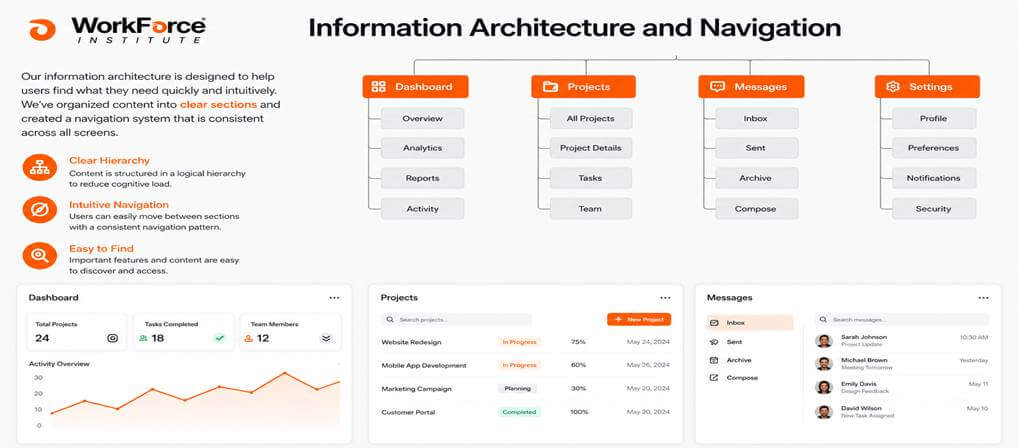
Why Information Architecture & Navigation is Important
At WorkForce Institute, the UI/UX Design Bootcamp teaches Information Architecture and Navigation through hands-on projects. You learn to organize content, design clear menus, and build intuitive flows. These skills help users find information quickly and stay engaged. Students apply real examples, test ideas early, and improve fast. The program blends practical tools with AI, preparing you to create user-friendly apps and stand out as a developer. Information Architecture and Navigation become second nature by the end. Aspiring developers who master these concepts create products that stand out.
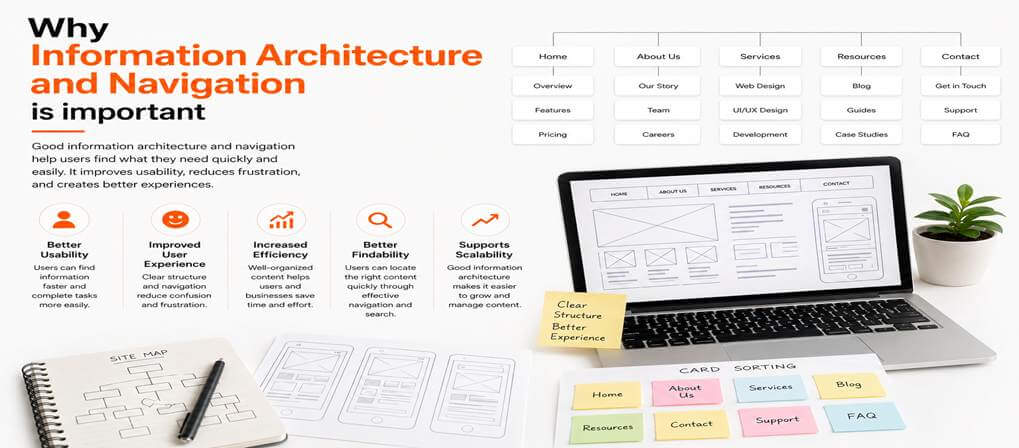
Why Information Architecture & Navigation Is Important
Organizing content well shapes how users experience digital products. Information Architecture and Navigation help users move through apps with ease. Clear structure improves retention, satisfaction, and conversions while reducing confusion and support issues. Developers use these skills to create logical paths, strong labels, and simple flows. Users stay engaged when they find information fast. Good structure also supports SEO and helps systems scale as products grow. In the bootcamp, you apply these skills on real projects, learning to build intuitive, user-focused experiences that solve real problems and improve overall performance.
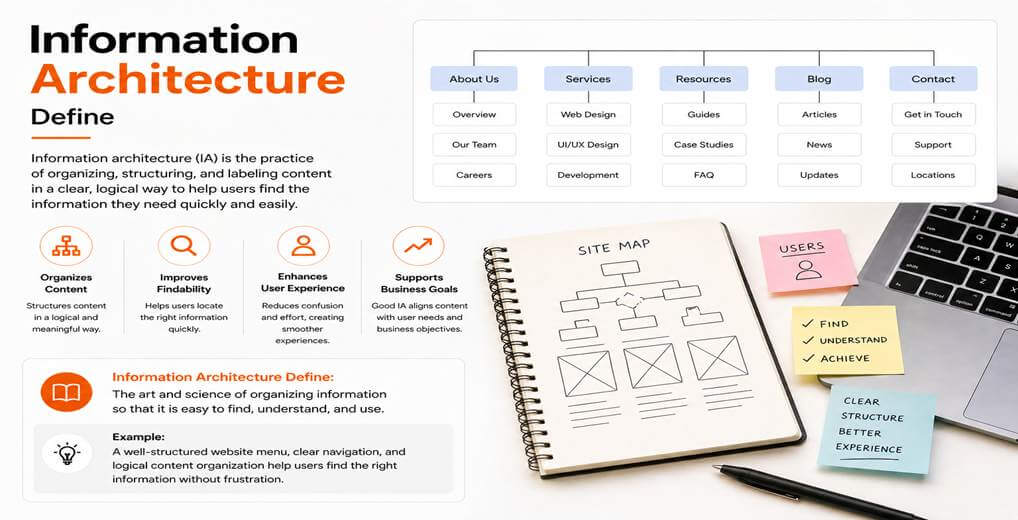
Information Architecture Defines
Information Architecture defines how you arrange and label content inside an app or site. Information Architecture and Navigation work together to make everything easy to understand. You decide what belongs together and how users reach it. Skills include choosing clear categories and consistent names. Aspiring developers learn to map out content hierarchies that feel logical. Information Architecture and Navigation prevent information overload by hiding what users do not need right now. Good Information Architecture and Navigation match the way people think about the topic. In the bootcamp, you sketch these structures before any visual design starts. These skills help you test ideas with real users early. Information Architecture and Navigation form the invisible backbone that supports every screen. Developers who ignore them end up with messy products. Strong Information Architecture and Navigation make complex features simple to use.
Navigation And Search
Navigation and search work together inside any digital product. Information Architecture and Navigation guide users through main sections.
Key Points:
- Navigation and search support each other, not compete
- Information Architecture and Navigation guide browsing through main sections
- Search helps users find specific information quickly
- Developers must know when to use menus vs. search
- Users often prefer to browse before searching
- Strong structure makes search results more useful
- Testing both systems improves real-world usability
- Good design lets users switch between browsing and search easily
- Combined systems improve overall findability
Types of Navigation
- Different navigation types fit different apps and screen sizes.
- Common options include top bars, sidebars, hamburger menus, and breadcrumbs.
- Information Architecture and Navigation skills help you choose the right style for users.
- Dropdowns work for deeper menus, while mega menus handle many options at once.
- Footer navigation provides quick access to secondary links and legal pages.
- Navigation should stay consistent across devices for a smooth experience.
- Good design shows or hides elements based on user context.
- Clean navigation helps users complete tasks faster.
Creating Navigations Categories Through Card Sorting
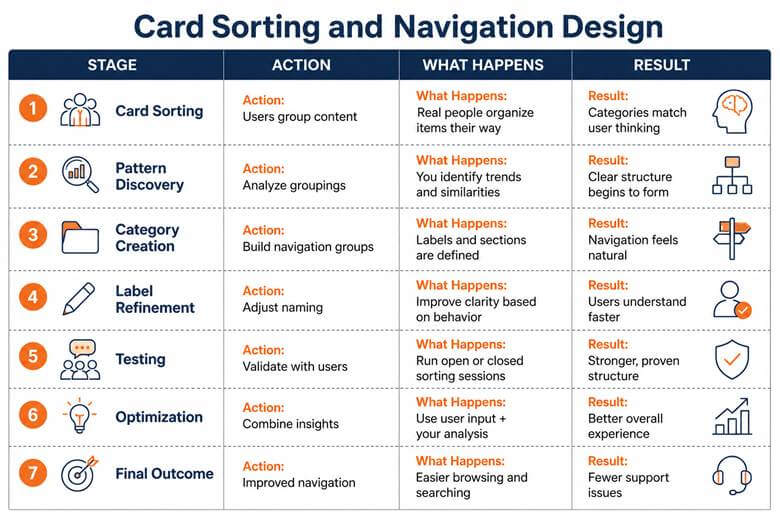
Card sorting helps you create navigation categories that match how users think. Information Architecture and Navigation improve when you let real people group items themselves.
Search As Navigation
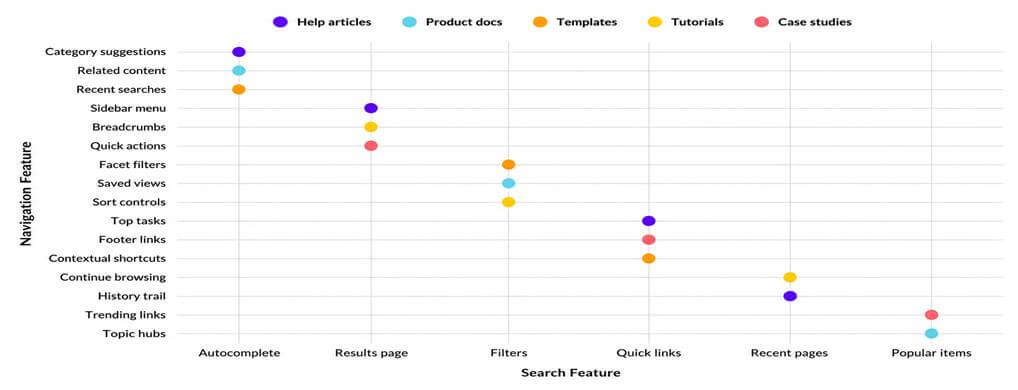
Search strengthens navigation when menus fall short. Information architecture connects search with categories, filters, links, guiding users, reducing dead ends, supporting browsing and discovery better.
Sitemaps
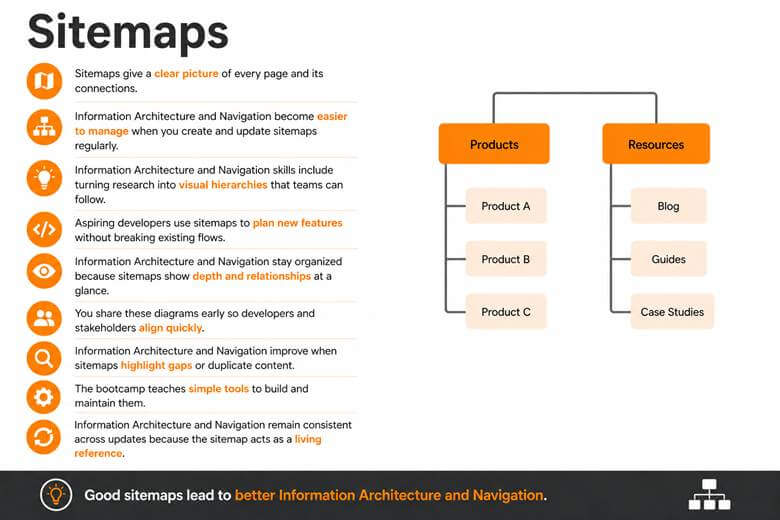
Sitemaps show every page and connection clearly. They help teams plan, stay organized, find gaps, and keep Information Architecture and Navigation consistent as systems grow and change.
Transforming Research Insights Into Realistic User Personas With AI Assistance
You turn research into realistic user personas using AI. Information Architecture and Navigation improve when personas reflect real behavior, goals, and pain points. AI speeds analysis, but human judgment ensures accuracy. Personas guide better structure, helping developers design for different user needs, skill levels, and clearer content organization.
Conclusion: Future-Proofing Your Information Architecture & Navigation Career By Embracing The "Agentic" Era
The agentic era brings AI agents that act independently. Information Architecture and Navigation help you design systems for both users and agents. Clear structures, data models, and pathways become essential. Developers who master these skills will build scalable, future-ready experiences. Start now to stay relevant and lead in intelligent system design.
⚡ Transform your productivity and lead the next wave of Information Architecture.
Master IA & Navigation with hands-on projects, AI tools, and real-world case studies.
Enroll in the UI/UX Design Bootcamp →Learn about Information Architecture and Navigation today.