Introduction
If you are exploring a career in digital design, you have probably come across the titles UI/UX designer and product designer. Both roles involve creating digital experiences that meet user needs, but they do not always focus on the same problems. Understanding the difference can help you choose the right career path, build relevant skills, and create a portfolio that reflects the work you want to do.
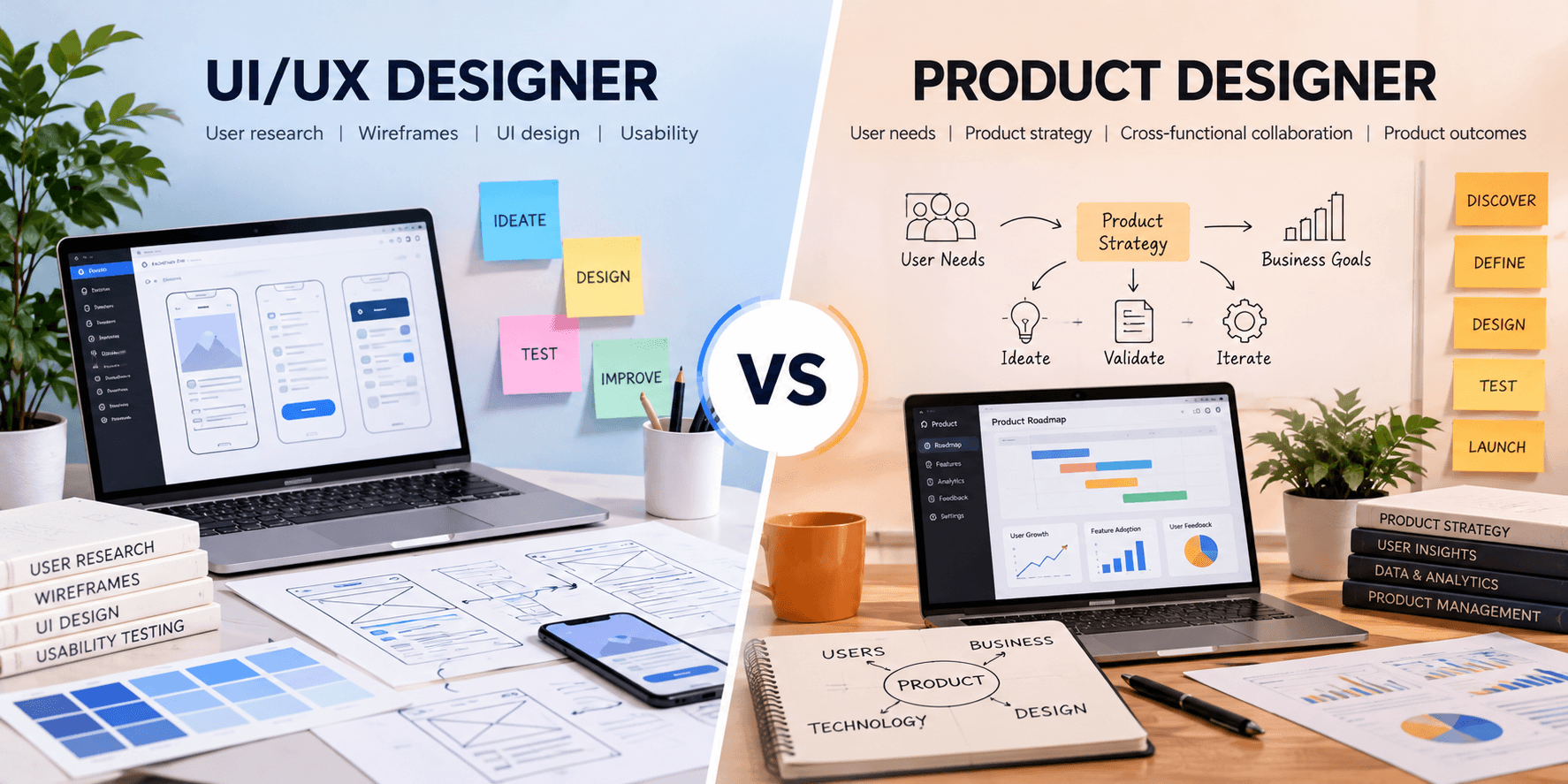
So, what is the difference between a UI/UX designer and a product designer? A UI/UX designer typically focuses on the usability, structure, and visual experience of a digital product. A product designer often takes a broader view, connecting user experience and interface design with product goals, business needs, and overall product strategy. However, responsibilities can overlap significantly depending on the company.
In this guide, we will compare their responsibilities, skills, tools, career opportunities, and learning paths to help you understand which role may be right for you.
What Is a UI/UX Designer?
A UI/UX designer helps make websites, mobile applications, and other digital products easy to understand, navigate, and use. The term combines two related disciplines: user interface (UI) design and user experience (UX) design.
UX design focuses on the overall experience a person has while using a product. UI design focuses on the interface itself, including visual elements such as layouts, typography, colors, buttons, and interactive components.
Key Responsibilities of a UI/UX Designer
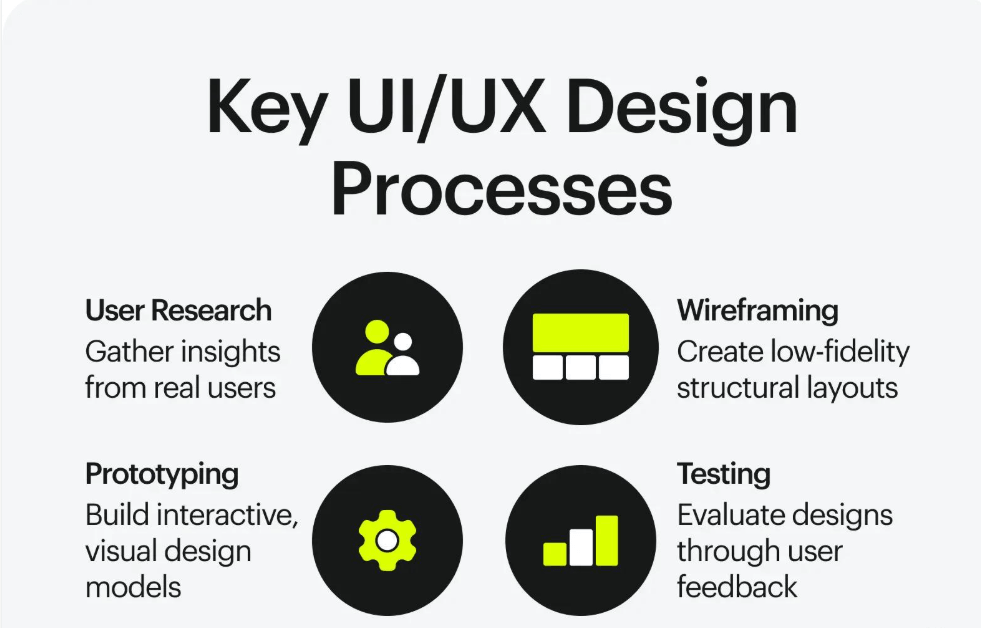
- User research: Understanding users' needs, goals, behaviors, and challenges.
- Information architecture: Organizing content and features so users can find what they need.
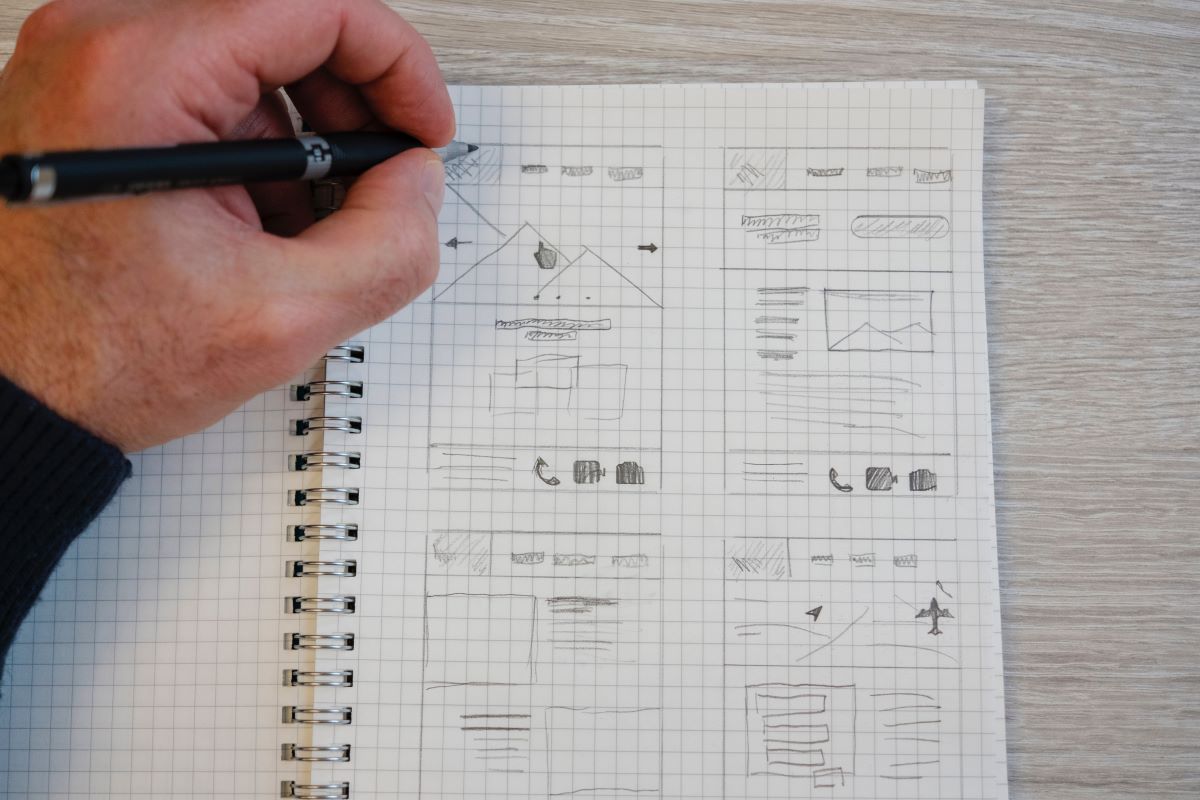
- User flows and wireframes: Mapping journeys and planning screen structures before detailed design begins.
- Interface design: Creating layouts, visual elements, and interactive states that support usability.
- Prototyping: Building interactive representations of a design to test ideas before development.
- Usability testing: Identifying problems through user feedback and improving the experience.
- Design collaboration: Working with developers, product managers, and other stakeholders to deliver the intended experience.
Example of UI/UX Design in Practice
Imagine a company wants to improve its online registration process. A UI/UX designer might review the existing journey, identify confusing steps, simplify the form, improve field labels, and test a prototype with users. The goal is to make registration clearer, easier, and less frustrating.
What Is a Product Designer?
A product designer helps shape how a digital product works and feels while considering the needs of users and the goals of the business. Product designers may work across research, user experience, interface design, prototyping, and product discovery.
In many organizations, product designers contribute earlier in the product development process. They help explore which problems are worth solving, evaluate possible solutions, and work with product managers and engineers to improve the product over time.
Key Responsibilities of a Product Designer
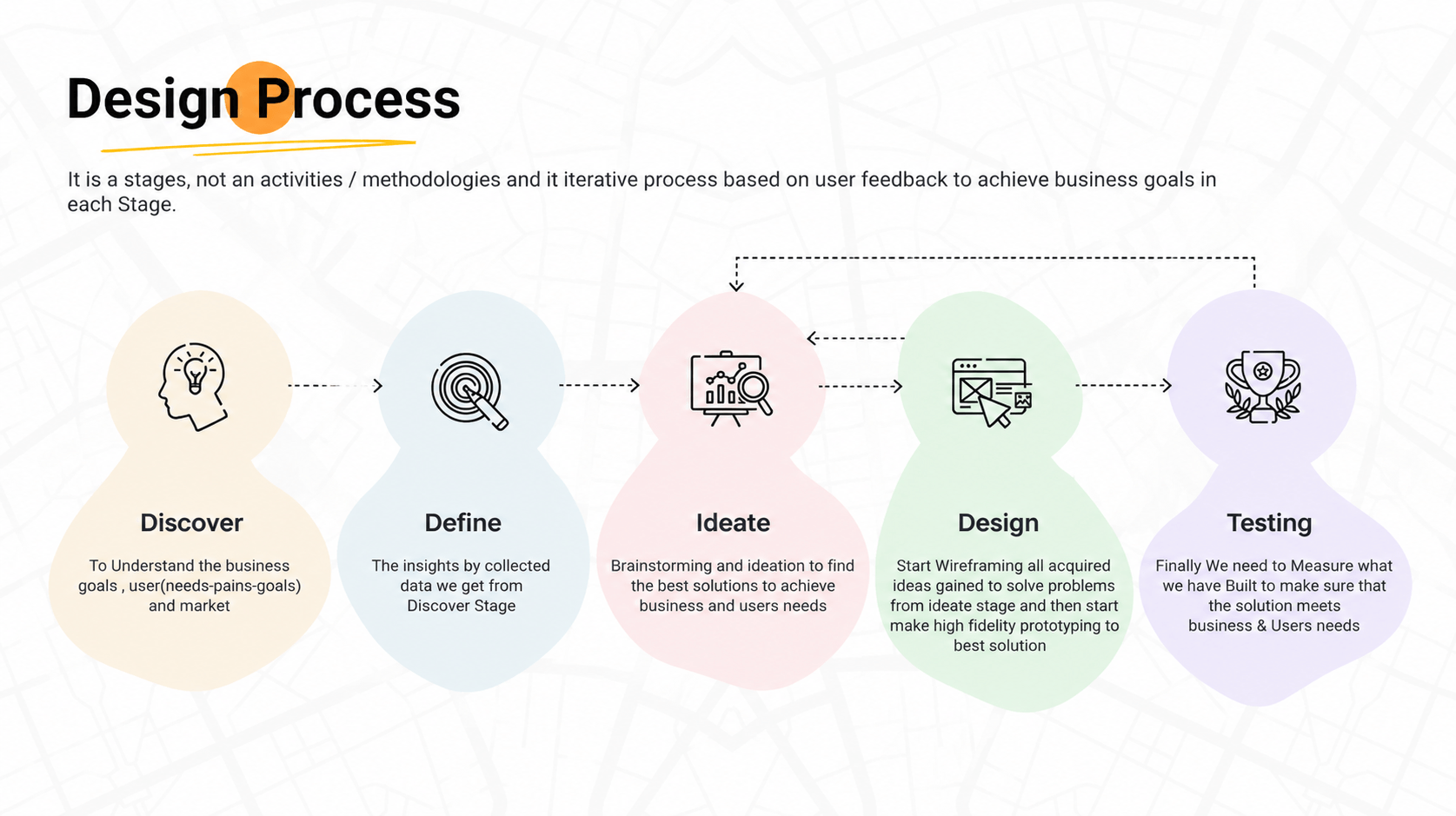
- Problem discovery: Helping identify user problems and opportunities for improvement.
- User research: Gathering insights that inform product decisions.
- Product flows and interaction design: Designing how users move through features and complete tasks.
- Interface and visual design: Creating consistent, accessible, and usable product interfaces.
- Prototyping and validation: Testing possible solutions before they are fully developed.
- Cross-functional collaboration: Working with product managers, engineers, researchers, and business stakeholders.
- Product iteration: Using feedback and performance data to identify opportunities for improvement.
Example of Product Design in Practice
Suppose a learning platform notices that many learners begin a course but do not complete it. A product designer might investigate the user journey, review feedback, collaborate with the product team, and test ideas such as clearer progress indicators or simpler lesson navigation. The work considers not only the interface but also the larger problem the product needs to solve.
UI/UX Designer vs. Product Designer: Key Differences
The two roles share many skills, and their responsibilities often overlap. The main distinction is usually the scope of the work: UI/UX design emphasizes the user experience and interface, while product design may extend further into product discovery, prioritization, and evaluating outcomes.
| Area | UI/UX Designer | Product Designer |
|---|---|---|
| Primary focus | Usability, user journeys, interaction, and interface design. | The end-to-end product experience, from identifying problems to improving solutions. |
| Typical scope | May focus on a website, application, feature, or specific user journey. | May work across discovery, feature design, and the broader product experience. |
| Research | Studies user behavior and usability to improve the experience. | May combine user research with product goals and opportunity discovery. |
| Business considerations | Considers business requirements while prioritizing usability and accessibility. | Often works more directly with product and business goals when evaluating solutions. |
| Common deliverables | Wireframes, prototypes, user flows, interface designs, and usability findings. | These deliverables plus discovery insights, solution concepts, and product experiments, depending on the role. |
| Collaboration | Works with developers, product managers, researchers, and stakeholders. | Works with the same teams and may be involved more broadly in product planning. |
| Success measures | Usability, task completion, accessibility, and user satisfaction. | User experience and product outcomes, such as adoption, engagement, or retention, where relevant. |
Important: These are common patterns, not universal rules. Some companies use “product designer” and “UX designer” interchangeably, while others define separate responsibilities. Always review the actual job description before deciding which role best matches your interests.
Skills Required for UI/UX Designers and Product Designers
Both roles require a strong understanding of users and the ability to turn complex problems into clear, usable solutions. The emphasis may differ depending on the position and organization.
Essential UI/UX Designer Skills
- User-centered design: Understanding users and designing around their needs.
- Wireframing and prototyping: Exploring and communicating design ideas before development.
- Visual design: Applying typography, spacing, hierarchy, color, and layout effectively.
- Interaction design: Defining how interface elements respond to user actions.
- Usability testing: Finding friction points and validating design decisions.
- Accessibility: Designing experiences that work for people with different needs and abilities.
- Communication: Explaining design decisions and incorporating constructive feedback.
Essential Product Designer Skills
- UX and UI fundamentals: Creating effective user journeys and intuitive interfaces.
- Problem framing: Defining the user problem before jumping to a solution.
- Product thinking: Understanding how user needs, technical constraints, and business goals interact.
- Research and validation: Using qualitative feedback and relevant data to evaluate ideas.
- Prioritization: Helping teams assess which problems or opportunities to address first.
- Systems thinking: Understanding how individual features affect the wider product experience.
- Collaboration: Working effectively with product managers, engineers, and other stakeholders.
To identify practical skills your portfolio may need, read our guide to 7 UI/UX Skills Your Portfolio Might Be Missing. It can help you identify areas to strengthen as you prepare for design opportunities.
Tools Used by UI/UX Designers and Product Designers
Both roles may use the same design tools. The tools you need depend on your team's workflow, the type of product you are building, and the tasks you are responsible for.
| Tool category | Examples | How they help |
|---|---|---|
| Interface design and prototyping | Figma, Sketch | Create layouts, reusable components, and interactive prototypes. |
| Whiteboarding and workshops | Miro, FigJam | Map user journeys, organize ideas, and facilitate collaboration. |
| Research and feedback | Interview notes, survey platforms, usability-testing tools | Collect evidence about user needs and evaluate design decisions. |
| Project collaboration | Jira, Linear, project documentation tools | Track work, communicate requirements, and coordinate with development teams. |
| Product analytics | Product analytics and experimentation platforms | Understand how people use a product and assess opportunities for improvement. |
AI is also influencing how digital experiences are evaluated and improved. Learn more in our article 4 Ways AI Is Already Improving the Website Optimization Process.
Knowing a tool is useful, but employers also look for problem-solving, sound design decisions, collaboration, and the ability to explain why a solution works.
Career Paths and Opportunities
UI/UX designers and product designers can work in technology companies, agencies, startups, financial services, healthcare, education, e-commerce, and other industries that build or maintain digital products.
If you are exploring the field for the first time, our UI & UX: 2023 Career Guide provides another resource to help you learn about UI/UX careers. As the title indicates, it is an older guide, so check it for current relevance before publishing.
Career Paths for UI/UX Designers
Depending on experience and interests, a UI/UX designer may progress into roles such as:
- UI Designer
- UX Designer
- UX Researcher
- Interaction Designer
- Senior UX Designer
- UX Lead or Design Manager
Career Paths for Product Designers
Product designers may progress into roles such as:
- Product Designer
- Senior Product Designer
- Lead Product Designer
- Staff or Principal Product Designer
- Design Manager or Head of Design
These paths are not fixed. A UI/UX designer can move into product design, and a product designer can specialize in UX research, interaction design, design systems, or leadership. Career progression depends on experience, portfolio quality, organizational structure, and demonstrated skills.
How to Choose Between UI/UX Design and Product Design
The right choice depends on the type of problems you enjoy solving. Consider the following questions before choosing a learning path.
Choose UI/UX Design If You Enjoy:
- Understanding user behavior and improving usability.
- Designing clear navigation, layouts, and interactions.
- Creating wireframes, prototypes, and polished interfaces.
- Testing designs and refining them based on user feedback.
Consider Product Design If You Enjoy:
- Exploring which user problems are worth solving.
- Connecting user needs with product and business objectives.
- Working across research, UX, UI, and product development.
- Evaluating how design decisions influence the overall product experience.
You do not need to make a permanent choice at the beginning of your career. Start by learning the foundations of user research, interaction design, visual design, prototyping, and accessibility. As you complete projects, you will discover which parts of the process interest you most.
How to Build a Portfolio for Either Role
A strong portfolio should demonstrate your thinking, not just show attractive screens. Employers want to understand how you approached a problem, made decisions, and evaluated the result.
- Choose a meaningful problem: Select a website, app, or user journey that has a clear problem to investigate.
- Explain the context: Describe the intended users, their needs, and the constraints of the project.
- Show your process: Include relevant research, user flows, wireframes, and design explorations.
- Explain your decisions: Describe why you chose a particular solution and what alternatives you considered.
- Demonstrate the final experience: Show key screens, interactions, and the reasoning behind the design.
- Share testing and iteration: Explain what feedback you received and how the design changed.
- Discuss outcomes honestly: Use actual results when available. For practice projects, label assumptions and avoid claiming unmeasured business impact.
When planning your next design project, explore Which UI & UX Strategies Should I Prioritize in New Projects? for additional guidance on making design decisions. Verify this destination URL before publishing.
For UI/UX roles, highlight usability, interaction, and interface decisions. For product design roles, also explain how you defined the problem, considered trade-offs, collaborated with others, and evaluated the broader product experience.
How to Get Started in UI/UX or Product Design
If you are new to design, build a foundation before focusing on a particular job title.
- Learn the fundamentals: Study user-centered design, visual hierarchy, interaction design, and accessibility.
- Practice research: Learn how to ask useful questions, observe user behavior, and identify problems.
- Learn a design tool: Practice creating wireframes, interface layouts, and prototypes.
- Complete practical projects: Redesign a confusing flow or develop a concept for a real user need.
- Build case studies: Document your process, decisions, feedback, and lessons learned.
- Get feedback: Ask other designers or users to review your work and identify areas for improvement.
- Explore structured learning: Consider a relevant UI/UX design learning program if you want guided practice and a clearer learning path.
Wondering whether coding is necessary for a design career? Read our guide on whether you need to learn computer programming to become a UX specialist.
Ready to develop practical design skills? Explore WFI's UI/UX Design program to learn more about the available learning opportunities. Verify the correct program URL in Magento Admin before publishing.
Frequently Asked Questions
1. Is a UI/UX designer the same as a product designer?
Not always. UI/UX designers generally focus on user experience and interface design, while product designers may also participate in product discovery, problem definition, and evaluating product outcomes. However, the roles can overlap, and some companies use the titles interchangeably.
2. Which role is more technical: UI/UX designer or product designer?
Neither role universally requires more technical knowledge. Both benefit from understanding how digital products are built and what technical constraints affect design. The level of technical involvement depends on the team, product, and job description.
3. Do product designers need UI/UX skills?
Yes. Product designers generally need a strong understanding of user experience and interface design. They may also need skills in research, problem framing, prioritization, and connecting design decisions to product goals.
4. Can a UI/UX designer become a product designer?
Yes. A UI/UX designer can build toward product design by strengthening product thinking, research, cross-functional collaboration, prioritization, and the ability to evaluate solutions beyond the interface itself.
5. What should a beginner learn first?
Start with user-centered design, basic research methods, wireframing, prototyping, visual hierarchy, interaction design, and accessibility. Practice these skills through projects and then explore whether you prefer a deeper UX/UI focus or a broader product design role.
6. Which role has better career opportunities?
Both roles offer opportunities across industries that develop digital products. The better fit depends on your interests, experience, location, and the positions available. Compare actual job descriptions rather than relying on the title alone.
Conclusion
The difference between a UI/UX designer and a product designer comes down largely to scope and context. UI/UX designers focus on making digital experiences intuitive, usable, and visually clear. Product designers often work across a broader part of the product process, connecting user needs with product goals and helping teams evaluate solutions.
Neither path is universally better. If you enjoy improving interfaces and user journeys, UI/UX design may be a good fit. If you are interested in combining design with problem discovery and broader product decisions, product design may be worth exploring.
Whichever direction you choose, focus on practical skills, thoughtful problem-solving, and a portfolio that explains your decisions. These foundations can help you grow into a designer who creates meaningful digital experiences.