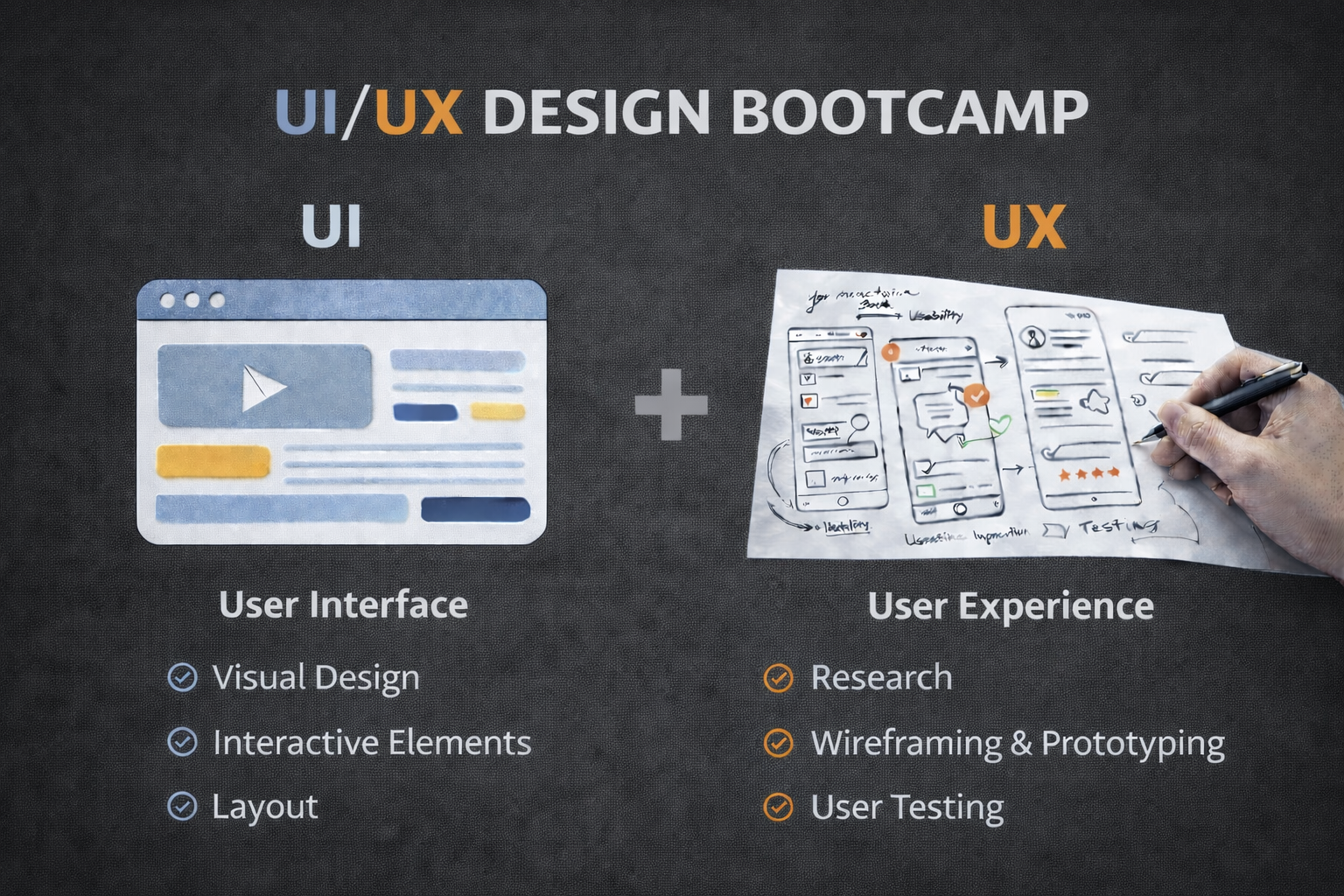
From Screens to Systems: Designing Adaptive Interfaces for an AI-First World
Design has moved past simple screens. Systems now shape how people interact with technology every day. This shift defines Adaptive Interface Design Trends 2026 and changes how products work and feel. Interfaces no longer stay fixed. They adjust in real time based on user behavior, context, and intent.
This change comes from rapid growth in AI systems. These systems learn patterns and respond with speed and precision. Research from McKinsey shows that personalization driven by AI can increase engagement by up to 40 percent The Value of Getting Personalization Right.
That shift is a direct signal of Adaptive Interface Design Trends 2026. Users expect systems to respond without effort. Static layouts cannot meet that need anymore. Designers must now create systems that learn from behavior and adjust outputs in real time.
Modern interaction also spans devices. A user may start a task on a phone, move to a laptop, and finish through voice. Microsoft defines this as ambient computing, where technology works across environments without disruption.
Source: https://www.microsoft.com/
This proves that Adaptive Interface Design Trends 2026 are not limited to screens. They connect entire ecosystems. Designers must think about flow, not just interface.
Another key shift is expectation speed. Users expect results in seconds. AI systems reduce wait time by predicting intent before users complete actions. IBM describes this as context-aware computing, where systems use data signals to guide outcomes To succeed, designers must build strong Adaptive Interface Design skills. These include system thinking, data awareness, and user behavior mapping. These skills allow designers to create adaptive flows that feel simple but rely on complex systems.
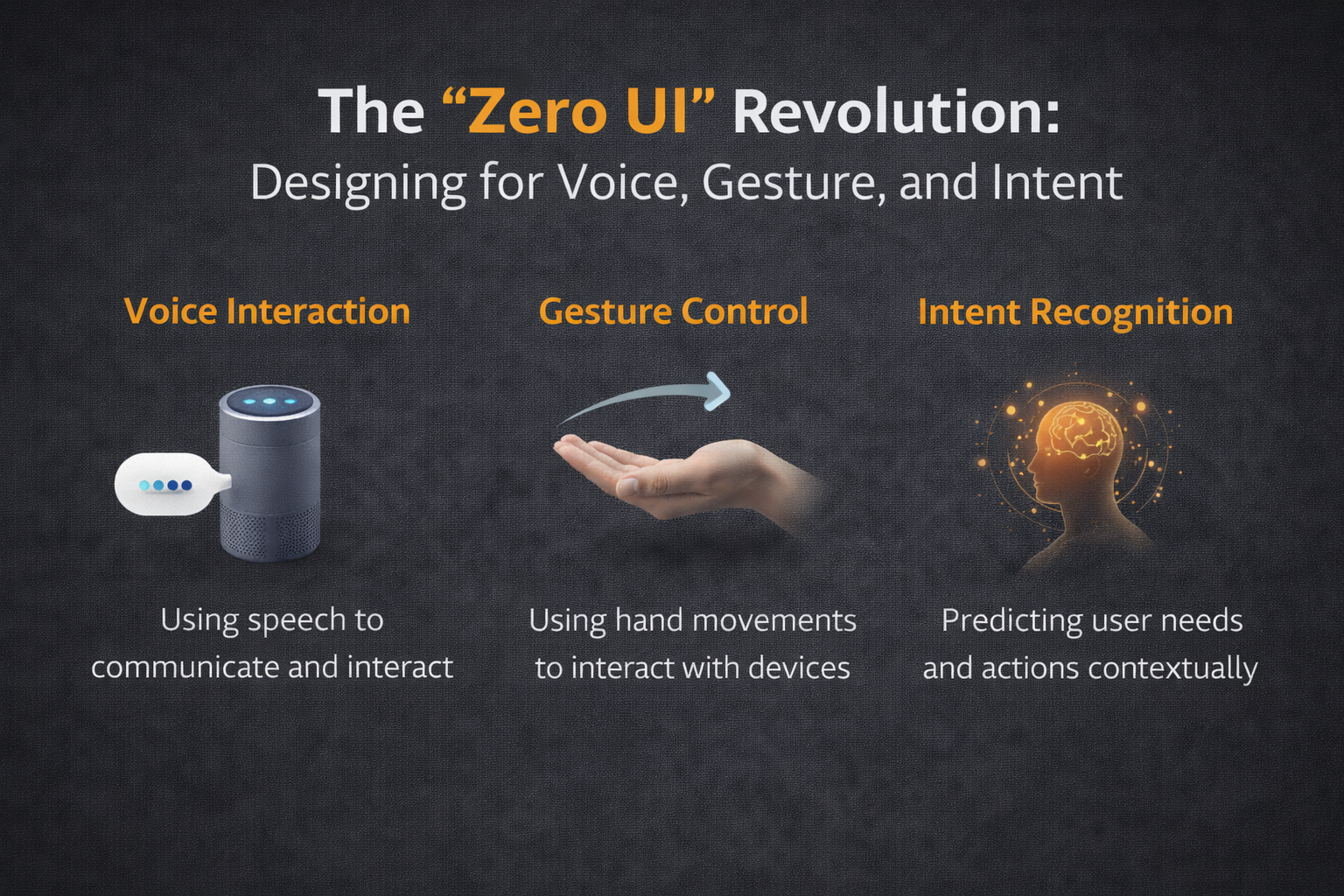
The Zero Ui Revoluntion : Designing for Voice, Gesture, and Intent
Screens once defined digital interaction. Today, interaction goes beyond visible controls. This shift sits at the center of Adaptive Interface Design Trends 2026.
Zero UI removes the need for screens by using voice, gesture, and passive input. Nielsen Norman Group explains Zero UI as interaction without a traditional interface, where users act naturally and systems respond.
Voice interaction leads to this change. Smart assistants like Alexa and Google Assistant process natural language and respond quickly. Google confirms that multimodal interaction is the future, combining voice, text, and visual input".
It aligns with Adaptive Interface Design Trends 2026, where systems must understand intent instead of commands. Users no longer think in steps.
They expect outcomes.
Gesture-based interaction also plays a role. Devices now detect motion through sensors. This allows users to control systems without touching screens. This reduces friction and speeds up tasks.
Wearables and smart environments extend Zero UI further. Devices like smartwatches and cars operate with minimal screens. They rely on signals like movement, voice, and location. This supports the shift seen in Adaptive Interface Design Trends 2026.
Designers must also consider failure points. Voice systems can misinterpret speech. Gesture systems can miss signals. Designers must build fallback options to keep users moving forward.
Privacy remains a major concern. Voice systems collect sensitive data. Apple highlights the importance of user control in voice design guidelines.
To build strong Adaptive Interface Design skills, designers must focus on:
- Intent mapping instead of button flows
- Multi-input systems
- Clear feedback signals
- Error recovery design
Zero UI shows that interaction is becoming invisible. Systems now respond without being seen. This is a core direction in Adaptive Interface Design Trends 2026.
Multimodal Empathy: How to Build Trust in Autonomous Systems
AI systems now make decisions for users. This creates speed but also risk. Trust becomes critical in Adaptive Interface Design Trends 2026.
Users must understand how systems behave. Microsoft research outlines key guidelines for human-AI interaction, including clarity, feedback, and user control
Transparency is not optional. When systems act without explanation, users lose trust. Designers must show what the system is doing and why.
Explainable AI supports this goal. DARPA defines explainable AI as systems that make decisions clear to users.
This connects directly to Adaptive Interface Design Trends 2026. Systems must not only act but also explain.
Confidence indicators are one method. These signals show how certain the system is. For example, a system may display a confidence level or offer options. This allows users to make better decisions.
Error handling also builds trust. Systems must admit mistakes and guide users forward. This reduces frustration and keeps users engaged.
Consistency is another key factor. Systems should behave in predictable ways. Sudden changes create confusion. Designers must balance flexibility with reliability.
The European Commission defines trustworthy AI as systems that are transparent, fair, and accountable.
Strong Adaptive Interface Design skills include designing for these principles. Designers must think about emotion, clarity, and control.
Timing also matters. Systems should not interrupt users at the wrong moment. Context-aware timing improves experience and supports Adaptive Interface Design Trends 2026.
Trust is built over time. Every interaction shapes user perception. Designers must treat trust as a core feature, not an add-on.
Generative UI: The Future of Dynamic, User-Specific Layouts
Interfaces are no longer fixed. They now change based on user needs. This shift defines Adaptive Interface Design Trends 2026.
Generative UI uses AI to build layouts in real time. Adobe highlights generative AI as a key driver in design personalization.
This allows systems to create custom layouts for each user. No two users see the same interface. This improves efficiency and reduces clutter.
Figma also notes that AI will reshape design systems by making them more adaptive and responsive..
This supports Adaptive Interface Design Trends 2026, where systems respond to user behavior instantly.
Designers must shift from static layouts to flexible systems. They define rules that guide how layouts change. This requires strong Adaptive Interface Design skills.
Component-based design becomes critical. Each element must work alone or in different combinations. This allows systems to adjust layouts quickly.
Real-time testing improves outcomes. Systems can test different layouts and learn which performs best. This improves user experience over time.
However, stability still matters. Users need consistent navigation. Too much change can confuse them. Designers must balance flexibility and familiarity.
Accessibility also improves with generative UI. Systems can adjust layouts for different needs. This includes text size, contrast, and interaction style. W3C supports adaptive design for accessibility.
Generative UI shows that design is no longer static. It is dynamic and responsive. This is a key part of Adaptive Interface Design Trends 2026.
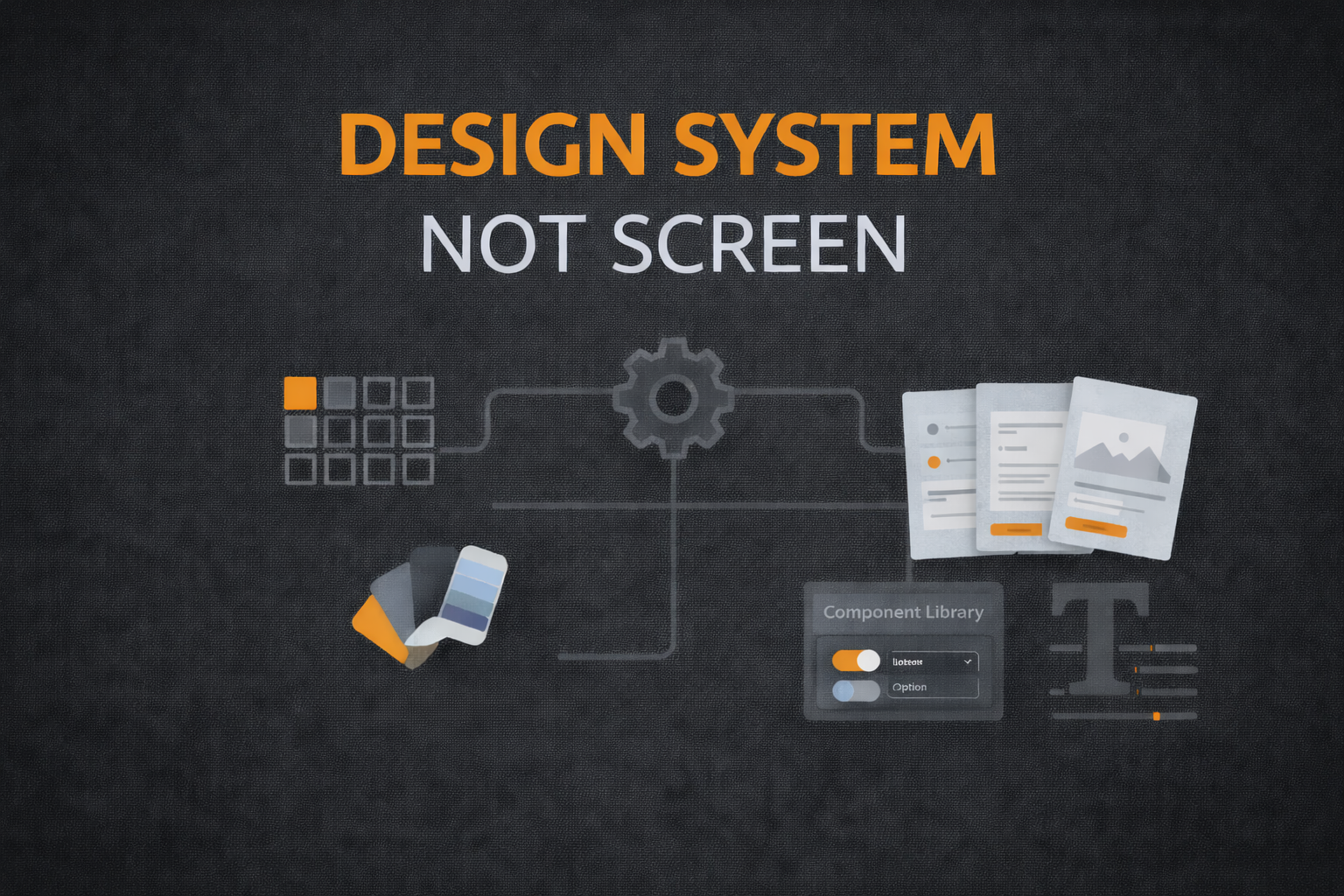
Designing Systems, Not Screens
Designers now build systems instead of screens. This shift defines Adaptive Interface Design Trends 2026.
Design systems provide the foundation. InVision describes design systems as a way to create consistent and scalable products.
Systems thinking is now essential. Nielsen Norman Group explains that systems thinking helps designers understand how parts work together This aligns with Adaptive Interface Design Trends 2026, where design must scale across platforms and users.
Designers must also understand data flow. Systems rely on data to adapt. Designers must know how data shapes outcomes.
Collaboration is key. Designers work with engineers and data teams. This ensures systems behave as expected.
Strong Adaptive Interface Design skills include:
- Systems thinking
- Data awareness
- Cross-platform design
- Continuous testing
Ethics also play a role. Systems must respect user privacy and fairness. Designers help define these standards.
Design is now ongoing. Systems learn and change over time. Designers must monitor and improve them continuously.
AI-Driven Ecosystems and Connected Experiences
The shift from screens to systems is not only about interfaces. It is about ecosystems. This is a core part of Adaptive Interface Design Trends 2026.
Modern products do not exist alone. They connect across apps, devices, and services. A user may interact with one system, but that system pulls data from many sources. This creates a unified experience.
For example, a fitness app may connect to a smartwatch, phone, and health system. Each part shares data. The interface adapts based on this combined input. This is how ecosystems shape user experience.
According to IBM, connected systems rely on shared data and context to deliver better outcomes. This supports the idea that design must go beyond single products.
This is where Adaptive Interface Design Trends 2026 expand into system-level thinking. Designers must understand how different tools connect and share data.
Ecosystem design also improves efficiency. Users do not need to repeat actions. Systems remember behavior and apply it across platforms. This reduces friction and saves time.
However, this level of connection creates new challenges. Data consistency becomes critical. If systems share incorrect data, the entire experience breaks. Designers must plan for these risks.
Security also becomes a priority. More connections mean more points of failure. Systems must protect user data at every level.
To build strong Adaptive Interface Design skills, designers must:
- Understand system connections across platforms
- Map user journeys across multiple devices
- Design for shared data environments
- Plan for system errors and recovery
Another key factor is continuity. Users expect smooth transitions between devices. For example, starting a task on a phone and finishing on a laptop should feel natural.
Microsoft defines this as a continuous experience across environments Source: https://www.microsoft.com/en-us/design/fluent/.
This proves that Adaptive Interface Design Trends 2026 are about full ecosystems, not isolated screens. Designers must think bigger and design systems that work together.
Automation and Predictive Interaction Design
Automation is now a core part of design. Systems do not wait for input. They act before users ask. This shift defines Adaptive Interface Design Trends 2026.
Predictive design uses data to guess what users need next. This reduces effort and speeds up tasks. For example, email systems suggest replies. Navigation apps suggest routes before users search.
This supports the growth of Adaptive Interface Design Trends 2026, where systems guide users instead of waiting for commands.
Automation also reduces cognitive load. Users do not need to think through every step. The system handles routine tasks. This improves efficiency and user satisfaction.
However, too much automation can create problems. Users may feel a loss of control. Designers must balance automation with user choice.
One solution is adjustable automation. Users can choose how much control they want. This builds trust and improves adoption.
Another key factor is timing. Systems must act at the right moment. Acting too early or too late can frustrate users.
Designers must also handle incorrect predictions. Systems will not always be right. Clear correction options help users stay in control.
To build strong Adaptive Interface Design skills, designers must:
- Understand user behavior patterns
- Design predictive flows
- Build user override options
- Test automation impact on user trust
Google highlights the importance of predictive systems in modern interaction. This shows that Adaptive Interface Design Trends 2026 are moving toward proactive systems. Designers must shift from reactive design to predictive design.
Automation is not about replacing users. It is about supporting them. When done right, it creates faster and smoother experiences.
Conclusion: From Pixel-Pusher to Experience Architect
Design has changed. Designers now shape systems, not just visuals. This shift defines Adaptive Interface Design Trends 2026 and sets a new standard for how digital experiences are built.
Interfaces now adapt in real time. They respond to user needs, behavior, and context. This creates faster and smoother experiences that feel simple to the user but rely on complex systems behind the scenes.
Designers must build systems that learn and improve over time. This requires strong Adaptive Interface Design skills and a mindset that focuses on flow, logic, and long-term performance. It is no longer enough to design a single screen. Designers must design how systems behave across many moments and environments.
This shift also changes how success is measured. It is not just about how something looks. It is about how well it works, how fast users complete tasks, and how confident they feel while using it. Systems must guide users without confusion or delay.
The future belongs to designers who understand systems. Products will continue to grow more intelligent and more connected. Designers must keep learning, testing, and improving their approach to stay relevant.
Adaptive Interface Design Trends 2026 will shape how people interact with technology for years to come. Designers who build adaptive, human-centered systems today will lead the next wave of digital experience.
Design the future of interaction. Build real skills aligned with Adaptive Interface Design Trends 2026.
https://workforceinstitute.io/ui-ux-design
Enroll in the UI/UX Design Bootcamp at WorkForce Institute and lead the next wave of adaptive design.